
Good to
hear you.

A radio for your crew, your organization and the people you meet along the way.
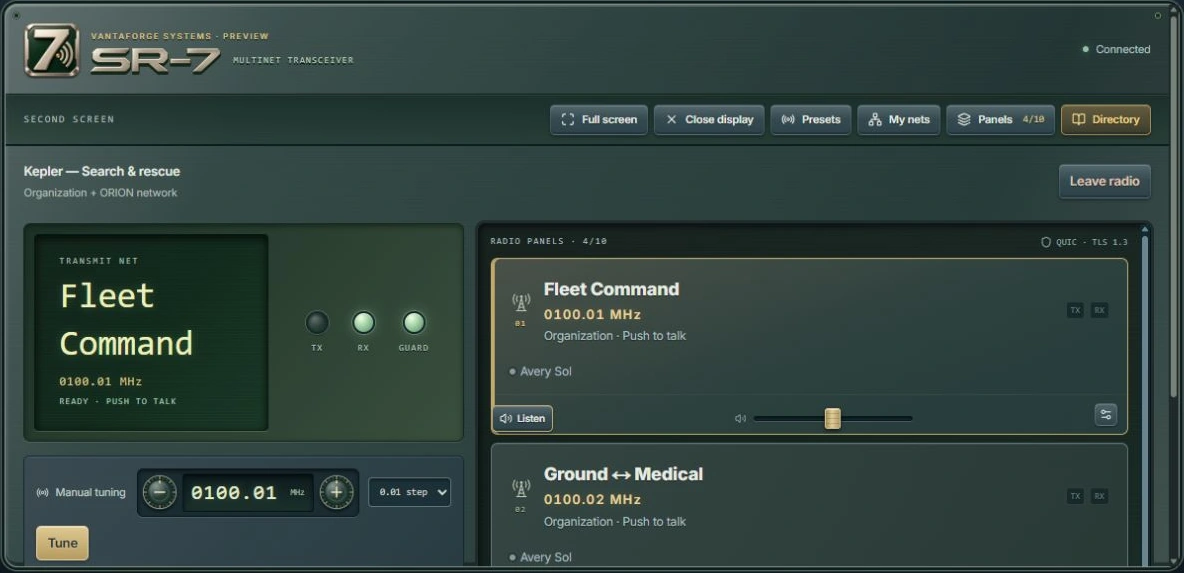
Keep a channel open.
Listen to your crew in one ear and fleet command in the other. Set each channel’s volume to suit, so you can follow both without looking away from the game.
Start with four panels and expand to ten when you’re coordinating a larger flight. Your push-to-talk can be a key, a mouse button or a switch on your flight controls. Share a preset code and your crew can load the same channel setup.
Give SR-7 a second screen, or keep a compact overlay beside the action. Choose a radio sound, or keep the audio clean.
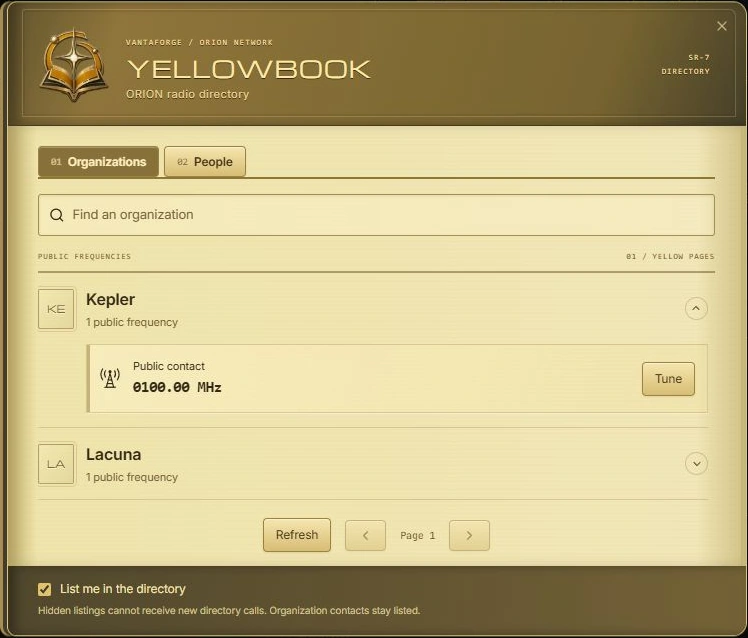
Yellowbook comes with it.
Find an organization’s public frequency or call someone directly from the directory. Members choose whether to be listed.
Technical details
- Tuning
- 0000.00–2000.00 MHz, with manual tuning and reserved organization frequencies.
- Channels
- Personal, organization and shared network nets. Shared guard stays available in organization-only mode.
- Controls
- Keyboard, mouse and joystick bindings, with VKB and Virpil support in ORION Desktop.
- Audio
- Individual volume and stereo balance, five TAC/COM voice profiles alongside the SR-7 sounds, and separate receive and transmit cues. Noise and interference are optional. Nets support push-to-talk or full duplex.
- Displays
- Portrait and landscape layouts, second-screen and overlay modes, and adjustable overlay opacity.
- Access
- Signed access and encrypted nets. Your organization manages radio access through its ORION policies.
Desktop overlay and global input features depend on your platform. Use borderless windowed mode for overlays.